
دیجیتال مارکتینگ
What is Google Discover and how to activate it?
google discover and how to activate it: Knowledge Graph is one of Google's advanced technologies that collects data about people, places and different topics and helps to identify the relationship between them.
google discover and how to activate it: Knowledge Graph is one of Google's advanced technologies that collects data about people, places and different topics and helps to identify the relationship between them.
If you still don't know the answer to the question "What is Google Discover?" If you haven't received it, we suggest that you stay with us until the end of this article from of Novin Iran Center magazine , to get acquainted with one of Google's extraordinary tools!
What is Google Discover?
To better understand Google Discover (Google Discover), it might be better to first know what this service is not! Discover is not the Google search engine nor the news service Google News . These two tools come in handy when you're looking for specific information, but Discover takes a different route.
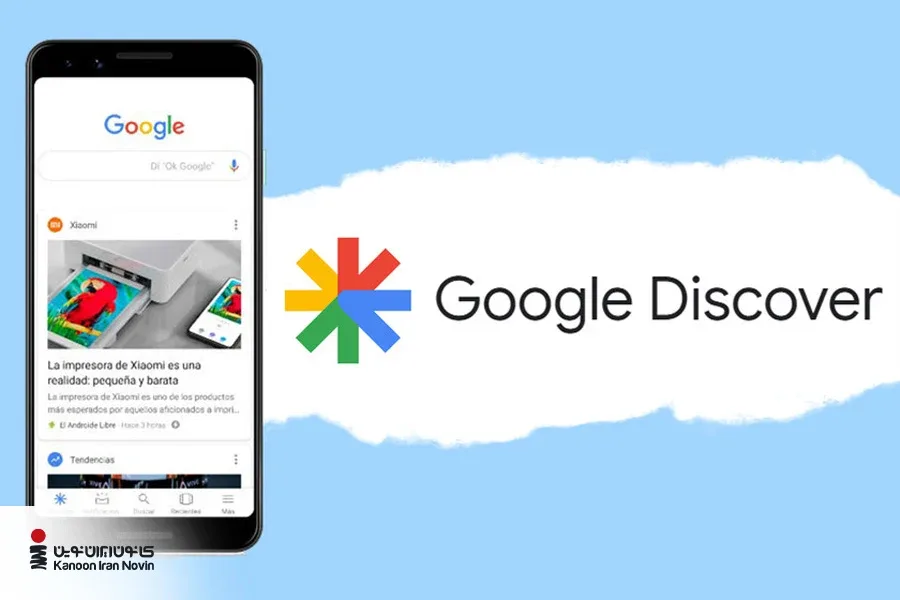
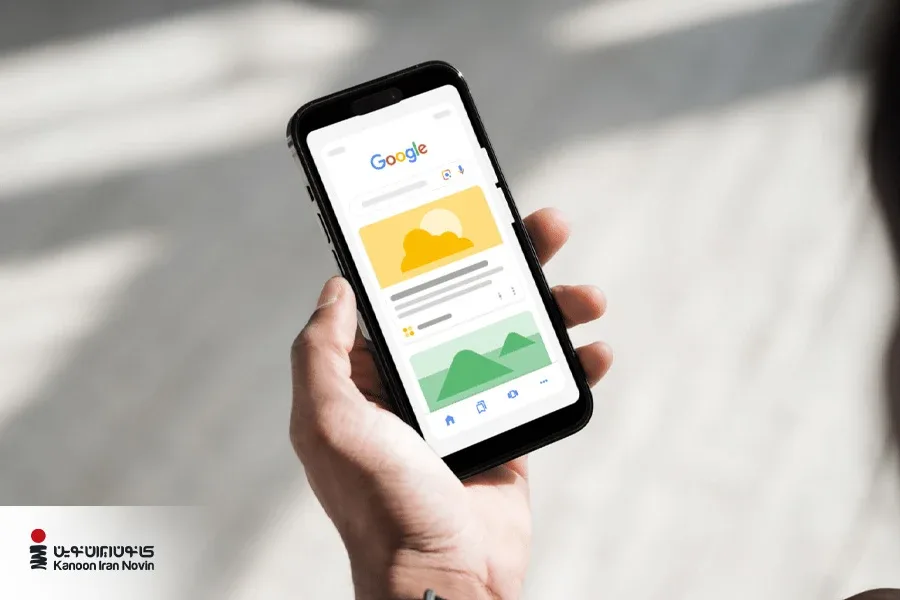
in Google Discover, there is no search; This service displays a personalized feed of content based on your interests and digital behaviors. Just like a smart magazine that effortlessly presents you with content you're likely to love. just like Instagram Explorer! For a better understanding, pay attention to the following example:
As you can see, on the first page of Google, content is displayed that you are probably curious about.
History of Google Discover
In 2012, Google introduced Google Now started a new experience; A system that showed the user the latest news and important events of the day without the need for active search. But with the advent of Google Discover, most of Google Now's capabilities were moved to Google Assistant to focus on providing a smarter and more personalized experience.
Finally, in 2018, Google made a big change with the introduction of Discover; A service that, beyond search, analyzes your behavior in mobile applications and your interests, and by using Google's smart algorithms, including Knowledge Graph , displays content related to each person's interests. In this way, each user faces a special and different experience that is exactly according to his tastes and needs.
What is the Knowledge Graph in Google Discover?
Knowledge Graph is one of Google's advanced technologies that collects data about people, places and different topics and helps to identify the relationship between them. This technology helps Google Discover to display content more relevant to the user's interests.
For example, if a user is interested in a particular singer, the knowledge graph can suggest content related to music style, similar artists, or related news.
What type of content is displayed on Google Discover?
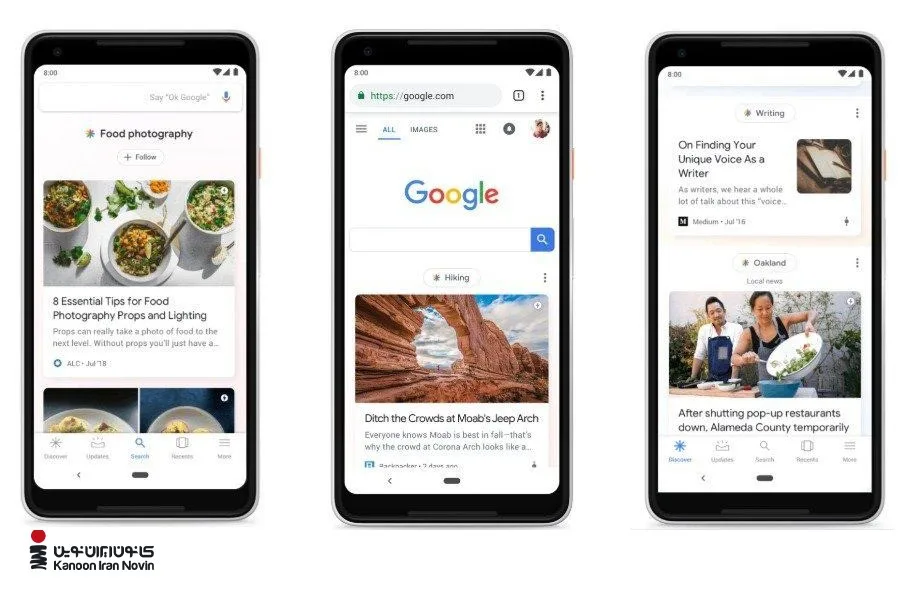
If you think only articles and blog posts have a chance to be featured in Discover, you are totally wrong! In this energetic visual world, large and stunning images, short videos of your blog will also have a chance to be seen.
Google itself recommends that quality and attractive images, especially large images, multiply your chances of being seen in Discover. In an age where short videos like Tik Tok and YouTube are all the rage, focusing on video content production and interesting blogs will be the key to your entry into this popular feed.
If you want your content to be noticed and attract thousands of views, you need to take Google Discover seriously.
How does Google Discover work?
Google Discover analyzes user behavior with the help of artificial intelligence and machine learning algorithms and displays content that matches their interests. This process includes three main steps:
- Data collection : Google Discover collects data based on user activities in Google services such as previous searches, visited sites, and activities in services such as YouTube and Google Maps.
- Analysis and learning : Google identifies user behavior patterns and is able to show the user new and updated content even if the user's interests and needs change.
- content display : The contents selected according to the quality, novelty and previous interaction of users are prioritized for display. The user's favorite content is updated regularly and every time the user steps on Google Discover, he will see new and updated content.
Why do site results change in Google Discover?
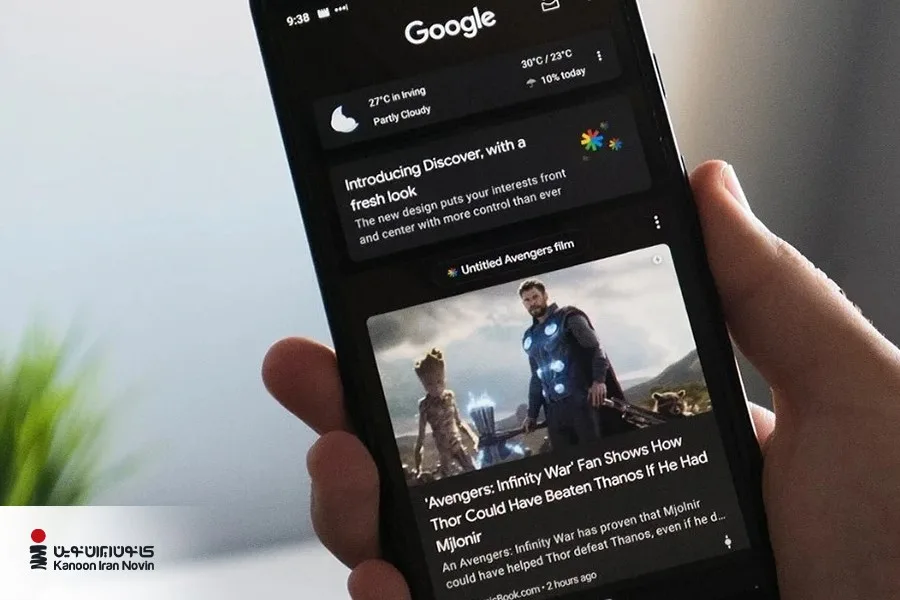
The results displayed on Google Discover are constantly changing, because the service is based on artificial intelligence and machine learning algorithms and aims to display new, interesting and personalized content for each user. The main reasons for these changes are:
1. Changing interests of users
Google Discover analyzes the behavior of users and discovers their new interests. If the user pays more attention to certain topics or moves away from some topics, Discover also adjusts the suggested contents according to these changes.
2. Google Algorithms Update
Two important types of updates affect Discover:
Core Updates that change quality criteria and display priority.
Thematic or seasonal updates based on special events or needs (such as pandemics or occasions).
3. Changes in website content
As new content is published by websites, Google Discover tends to prioritize fresh and relevant content.
4. User interaction with content
The amount of clicks, sharing and other user interactions with content play an important role in its display. Content that attracts the attention of users is seen more; Conversely, content that is ignored or rejected will be shown less often.
Where is Google Discover?
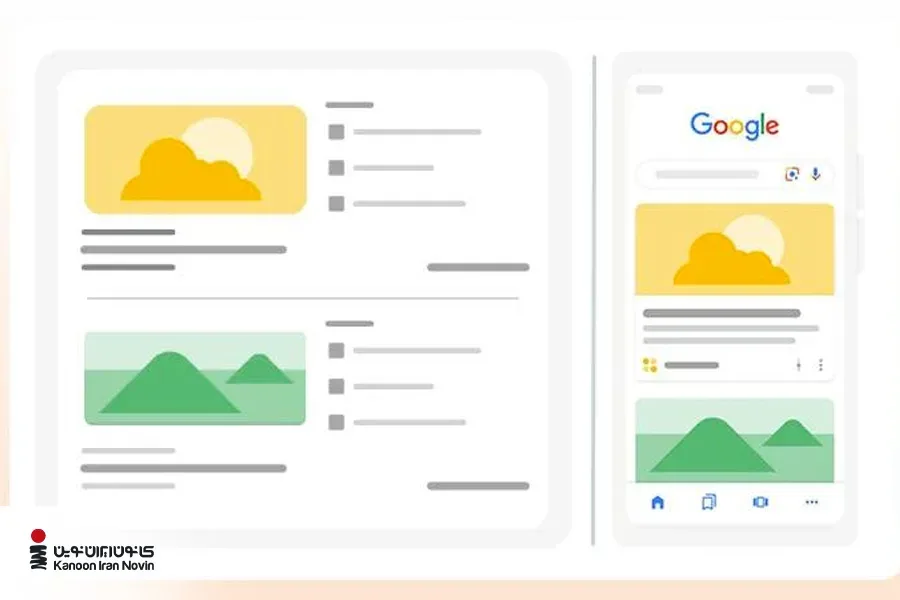
First of all, you should know that Google Discover is only active on mobile devices and is not currently available for desktop. Although Google has done tests for desktop access, this feature is not officially available yet.
It doesn't matter if you use iPhone, iPad or Android phones; Discover is accessible on all these devices. Mobile users can access Discover through Google. Additionally, on some Android phones, a simple swipe to the right from the home screen will instantly bring up the Discover feed.
How to activate Google Discover?
It doesn't matter what model your phone is; If the Google application is not installed on your mobile phone, just download and install it right now using the links below.
Direct download of Google app for iOS
Direct download of Google app for Android
To use Google Discover, you do not need to do The settings are not complicated. After a period of time that Google examines your activities and searches, Discover content is automatically personalized based on your tastes and interests.
Now that we got general information about this smart service, it's time to see an owner brand Why should use Google Discover as a priority? "Accessing this smart content showcase is quick and easy, you just need to know where to look!"
Why should we be on Google Discover?
Undoubtedly, Google Discover can be an efficient tool to attract real and organic visitors to your site. When your content appears in the Discover feed, your site traffic can increase dramatically ; Even more than a normal Google search! Having said that, it is obvious that 's continuous presence in this smart storefront means the opportunity to grow faster, attract more audiences and engage more with your content.
⚠ An important note…
The audience that comes to your site through Discover may be different from the target audience. be your forever; So, increasing visits alone is not enough and you must have a detailed plan to convert these visits into customers or effective interaction in order to benefit from this opportunity in the best way.
What businesses should open an account on Google Discover?
Being on Google Discover is not equally profitable for all websites. Because the traffic you get from Discover doesn't always lead to direct sales or conversions. But if producing regular content (blog articles, tutorials, and how-to guides) is one of your priorities in the world of Advertising and Marketing , Google Discover can be your launching pad to attract more traffic. be
So if you want to stay in this powerful feed, you must always prioritize quality, credibility and content standards.
It should be said that this service is completely cruel with low-quality and out-of-frame content! If there is inappropriate or unethical content on your site, not only that content, but the entire site may be removed from Discover.

How to enter Google Discover?
Being on Google Discover can be a valuable opportunity to significantly increase traffic. But contrary to popular belief , there is no direct or official way to request to be on this feed. Google does not publish Discover's algorithms like it does with traditional search results, and no one knows exactly what factors make a piece of content appear in Discover or what position it is assigned.
But should we just rely on luck? 🤨
The best course of action is to focus on producing quality, useful and SEO content; Content that, in addition to performing well in Google search results, can also be seen in Discover. Adherence to specific principles and Google standards can significantly increase the chances of displaying content in this personalized feed.
The best ways to be seen on Google Discover
To enter Google Discover effectively, only producing high-quality content is not enough ! Although this issue is still the main story; But along with that, there are specific steps you can take to increase your chances of being on Discover. In the following, we review the most important of these actions:
1. Compliance with the requirements of Google Discover
The first condition of being in Discover is that your content must be indexed by Google and not have any violation in terms of content. Inappropriate images, misleading titles, or spammy content will easily get you removed from Discover.
Google recommends that you use large, high-quality and attractive images in your content. But this does not mean that the quality of the content is unimportant. Using clickbait headlines and worthless content not only does not give results, but may cause manual action from Google. Content should be useful, clear and user-oriented.
2. Accurately knowing the audience
To better understand how Discover works and users' interests, use the Google application on your mobile. For example, if you sell kitchen appliances, you can define a "chef persona" and see what kind of content might be displayed on his feed. This review can help improve your content strategy. In general, having audience personas to advance all marketing strategies has always been effective!
3. Smart image selection
In Google Discover, image and content title are everything. Even if you are displayed in the feed, if your title and image are not attractive, the user will not click on it. Therefore, the selection of these two elements should be accurate, purposeful and creative.
Check which images on the website or Social Media to choose the right image They have attracted the most traffic. Recognize patterns and use them to optimize future content. Do not forget that choosing eye-catching, high-quality and relevant images will help increase the click rate.
4. Writing attractive titles
Titles written for Google Discover, with search titles in Google are different. In Google search, the focus is usually on keywords and SEO . But in Discover, the goal is to get the user hooked and click on the content in the moment.
Tips for writing an effective and attractive title in Google Discover
- The title should reflect the content of the article, however, misleading or exaggerated titles not only destroy the user's trust, but may also be subject to policies Discover also have discrepancies.
- One of the effective tricks is to make the audience curious; That is, give only enough information to make the user curious, but don't reveal everything so that they click on the link to find out more. However, care should be taken not to hide critical information or make promises that cannot be fulfilled in the content.
- Headlines that evoke emotions such as excitement, surprise or curiosity tend to have higher click-through rates. See titles as starting a conversation, not just a bunch of keywords!
- When users click on a headline and are satisfied with the content, the click-through rate (CTR) increases, possibly indicating to Google Discover that the content was valuable. This can make your content more visible or remain in users' feed.
5. The importance of updating and freshness of content in Google Discover
In order for your content to be seen in Google Discover, its update plays a key role. Serious content doesn't just mean publishing new content; It also includes updating old articles, improving the quality of existing articles, and even responding to user feedback or new developments in the content field. Don't forget that Google's algorithms are interested in up-to-date and reliable information and display them more.
How to keep content fresh?
- When you update old content, you need to make real, worthwhile changes .
Simply changing the release date without adding new information is not only useless, it can hurt your visibility. - Updates must add new value to the content ; For example, updated information, new research results or new perspectives that make the previous content more complete, accurate and interesting.
- Using phrases like "this week", "last month" or "this year" inside the text can show Google that the content is up-to-date and alive.
6. Finding High-Profiting Topics for Google Discover
At the heart of any successful Google Discover strategy is a simple but important principle: Produce content that your audience really wants.
Google Discover shows content to users based on their search history, interests and browsing behaviors. Therefore, if you know exactly what your audience is interested in, what concerns they have and what type of content they are looking for, you can go for topics that are likely to be seen.
Professional tricks to choose the right topic in Discover
- Have smart timing: For some content, It is very important to be up-to-date. Google Discover usually shows more fresh content on hot topics or events of the day. Of course, this type of content may only stay in the feed for one to two days; So if you are going to write about a new event or trend, you have to be quick.
- Persistent content can also shine: provided it is always kept up to date and in line with new changes.
- Google Discover has fallen in love with personalization: means content that has a personal feel, story or perspective. True stories, lifestyle articles, in-depth analysis on specific topics, or content with a unique perspective. All these help the content to be seen better in Discover. Conversely, dry, purely news content or official announcements tend to be less attractive on Discover. Even if they are accurate and factual, they may not click as much as emotional or entertaining content.
How to monitor our performance in Google Discover?
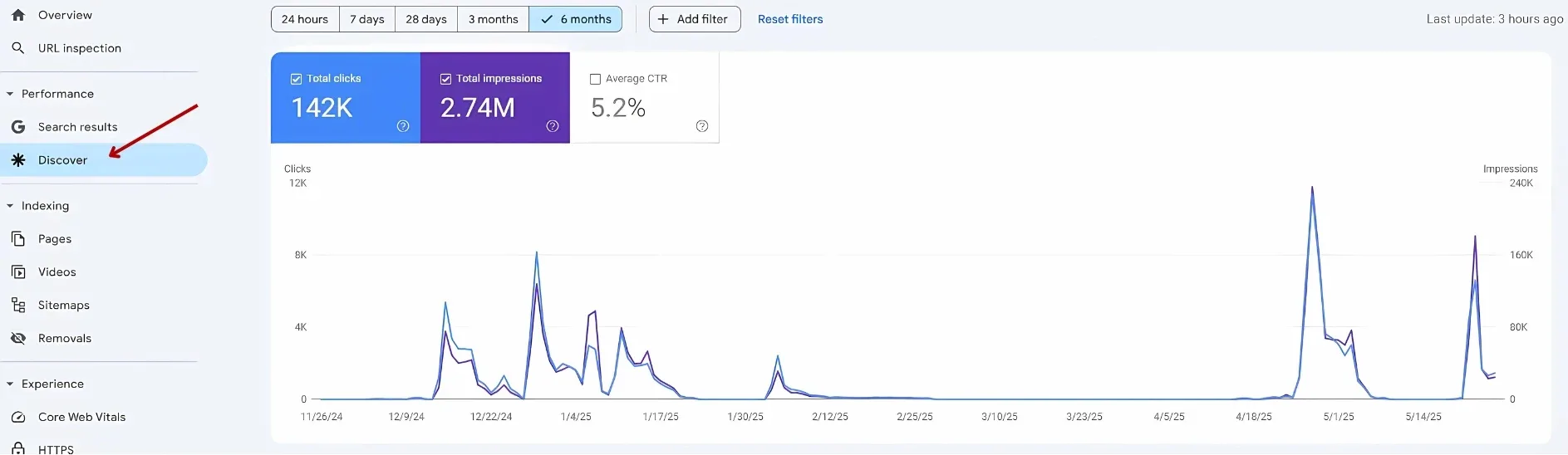
Getting traffic from Google Discover is valuable when you can get it right Measure and Analyze . Unlike traditional Google search and SEO, Discover's traffic monitoring capabilities are more limited. The best tool for this is search console ; Of course, note that the Discover section in the search console only appears when your site has been displayed at least once in the Discover feed.
Through Search Console, you can see the number of users entering the site through Discover, but unfortunately, it is not possible to monitor the conversion rate of this traffic (Conversion) in Search Console.
Steps to view performance in Google Discover
- Log in to your Google Search Console account.
- From the left menu, open the Performance section.
- Then click on Discover option.
It should be said that ranking and position of content in Google Discover is very variable and unstable. So regularly review and analyze the articles that attract the most traffic from Discover to find opportunities to improve them and maintain or increase views.
The image below shows the performance of one of the content and SEO projects of Navin Iran Center in Google Discover (6 months period):
How to discover Google to Farsi?
There are two ways to change the content language in Google Discover:
First, when you see content in English or any other language, you can remove it from the feed by selecting the "Don't show content in language" option.
The second method is to change the language through the settings of the Google application, which is as follows:
Changing the language in Android
- Open the Google app.
- Click on the profile icon at the top of the screen.
- Path Settings > Language & region > Follow Search language.
- Select your desired language, such as Farsi.
Change language on iPhone
- Open the Google app.
- Tap the profile icon at the top of the screen.
- path General > Language & region > Follow iPhone or iPad Language.
- Select your preferred language.
With these settings, the language of Google Discover content will change according to your wishes and you will have a better experience.
Leave your brand advertising to the biggest advertising agency in Iran!
Professional advertising is a specialty that requires extensive knowledge; Also, creativity and high experience are needed for its basic design and implementation. On the other hand, this work has many details that no advertising agency can handle.
Kanon Iran Navin, as the best advertising company in Iran, implements 0 to 100 offline and online advertisements for businesses. different departments of Kanoon Iran Novin Center benefiting from modern marketing knowledge and modern tools such as artificial intelligence, provide the highest quality to our valued customers.
for digital marketing , environmental advertising, holding an advertising event and advertising campaign, branding and logo design and Visual Identity You can contact our experts right now.
Last word!
Google Discover is a unique opportunity for your content to be seen in the digital world; Where users have exactly what is interesting and useful for them without having to search. By knowing exactly how Discover works, optimizing content and following best practices, you can stabilize your presence on this popular platform and increase your website traffic. Finally, Google Discover is the bridge between your high-quality content and an audience that is impatiently looking for answers and new information. So don't waste time and step smartly on the path of digital growth!
Frequently Asked Questions
What is Google Discover?
Google Discover is a smart and personalized content feed that displays content, news, videos and articles related to your interests without having to search.
How is Google Discover different from Google Search?
In Google search, the user enters a term and gets results. But in Discover, Google itself suggests content based on your behavior, interests and activity history; Even if you haven't searched for anything.
Does Google Discover only show news?
No. Discover is not just for news. Educational articles, lifestyle content, videos, images, and even how-to guides can be featured on Discover.
Where is Google Discover displayed?
Discover is only active on mobile. You can see it in the Google app and on some Android phones by swiping to the right from the home screen.
Do all users see the same content on Discover?
No. Discover is fully personalized and each user sees different content based on their interests and behavior.
Is Google Discover important for sites?
Yes. Having content on Discover can generate a lot of organic traffic, even more than regular Google search results, especially for high-quality and engaging content.
What is Google Discover?
Google Discover is a smart and personalized content feed from Google that displays content related to the user's past interests and behaviors without the need to search.
How to enter Google Discover?
There is no direct way or button to "Request Login" to Google Discover. Google automatically and algorithmically decides what content to display in Discover.
For which sites is Google Discover traffic the most important?
Discover traffic is more important for sites that focus on producing regular, engaging, user-centric content, not just direct sales.
Are news sites affiliated with Discover?
News sites, especially analytical and lifestyle media, can get very high traffic from Discover; Of course, this traffic is usually volatile and short-term.
Is search traffic more important than discover traffic?
depends on the purpose of the site. If your goal is to attract users with specific intent and higher conversions, search traffic is usually more important. If the goal is to be seen and increase brand awareness, Discover becomes more important.


دیدگاهها
0هنوز دیدگاهی ثبت نشده است.